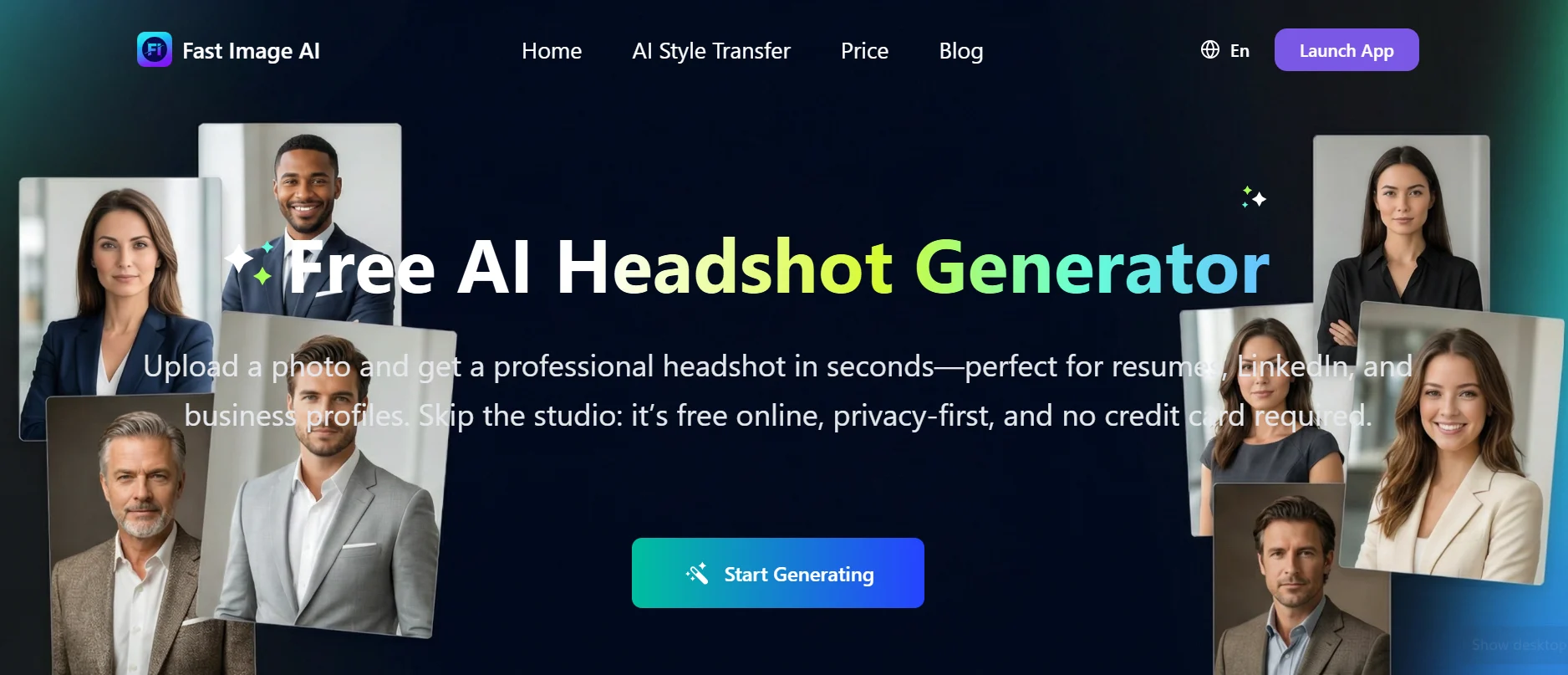
A professional headshot costs anywhere from ₹3,000 to ₹15,000 with a photographer, and for someone job hunting or landing their first clients, that's a real barrier at exactly the moment money is tightest. Fast Image AI does it free: upload a photo, pick a style, get a business headshot in seconds. No signup wall, no credit card.
It works, and for a lot of people it will be genuinely useful. But there are two things to understand before you upload your face to any tool in this category, and neither appears on the marketing page. One is about what the AI does to your features. The other is about what happens to your photo afterwards.
⚡ The short version
- Free, browser-based, no credit card. Commercial licence included across tiers.
- Check first: whether the output actually looks like you — feature drift is a documented problem across this whole category.
- Then check: whether your uploaded photo is stored or deleted. Your face is biometric data.
- Pricing display appears broken — all tiers currently show $0.00/month.
- Often better: a phone camera and a window. Genuinely.
What you get
The flow is as simple as it sounds. Upload a photo, choose a style, and the AI produces a headshot with improved lighting, a clean background, and a professional look aimed at LinkedIn, CVs, company pages, and social profiles. No studio, no photographer, no scheduling.
The site describes itself as free, privacy-first, and requiring no credit card. Three tiers exist — Basic, Pro, and Pro Max — and all three list a commercial licence, with the site stating images are safe for commercial use without copyright concerns. That matters more than it might seem: a LinkedIn profile you use to get hired is arguably commercial use, and some free image tools quietly prohibit exactly that.
One honest observation: at the time of writing, the pricing page displays $0.00/month across all three tiers, with Basic listed as including 0 credits per month. That looks like a display fault rather than an intentional offer. Check the current state before assuming a paid tier costs nothing, and don't be surprised if a limit appears mid-session.
The feature drift problem
This is the most important section of this review, and it applies to every AI headshot tool rather than just this one.
AI headshot generators have a well-documented tendency to alter facial features in the direction of their training data — and that training data heavily overrepresents white faces in imagery labelled "professional."
The case that made this visible: Rona Wang, an Asian American MIT student, asked an AI tool to make her photo look more professional. It returned an image with lighter skin and blue eyes. Same shirt, same background, different race. The story was covered by the Boston Globe in 2023 and it wasn't an isolated glitch — Black users have consistently reported tools lightening skin, narrowing noses, and straightening hair texture.
For readers of this site in particular — South Asian students and early-career professionals — this is not an abstract concern. It's the single most likely way an AI headshot fails you, and it fails in a way that's easy to miss if you're pleased with the lighting.
How to test for it in two minutes: generate your headshot, then open it side by side with the original photo at full size. Look specifically at skin tone, nose width, eye shape, jaw, and hair texture — not at the overall impression. Better lighting and a cleaner background make almost any output look "better," which is exactly what makes drift easy to overlook. If the person in the result isn't unmistakably you, discard it. A headshot that doesn't match the face you bring to the interview is worse than no headshot at all.
To be fair to the category: tools have improved since 2023, and many now handle diverse faces considerably better. But improvement is uneven, varies by tool, and the only way to know how a specific tool handles your face is to check. Don't assume; look.
Your face is biometric data
The second thing worth understanding before uploading.
A photograph of your face isn't an ordinary file. In several jurisdictions it's a regulated category of personal data with specific protections. Illinois' Biometric Information Privacy Act — the strictest such law in the US — requires written consent before collecting face data, disclosure of the purpose and retention period, and provides statutory damages of $1,000 per negligent violation and $5,000 per intentional violation, with a private right of action letting individuals sue directly.
That's a genuine constraint on companies operating there, and it has produced real litigation — against photo storage platforms licensing images for AI training, cosmetics retailers running virtual try-on, and education technology firms collecting face data.
Here's the uncomfortable part for most readers of this site: those protections mostly don't extend to you. If you're uploading from Bangalore rather than Chicago, you're relying on the company's own policy rather than a law with teeth behind it. Which means the diligence falls to you.
What to actually check before uploading:
- Find the answer to "will my uploaded photos be saved?" Fast Image AI has this question in its FAQ — read the answer rather than assuming, and look for a specific deletion timeline rather than vague reassurance.
- Check whether images are used for model training. This is the clause that matters most and the one most often buried.
- Look for a deletion mechanism. Can you request removal, and is there an address to send it to?
- Prefer tools that process without accounts. No account means less to link your face to.
If the privacy policy is vague or the FAQ answer is non-committal, that's information. There are enough tools in this category that you can afford to pick one that answers clearly.
Should you use an AI headshot at all?
Worth asking honestly, because the answer isn't uniformly yes and some employers have started noticing.
The case for: a bad headshot is worse than an AI one. A dim selfie cropped from a wedding photo, or no photo at all, actively hurts you on LinkedIn. If the alternative is nothing, an AI headshot that genuinely looks like you is a clear improvement. It also removes a real cost barrier at the career stage where it bites hardest.
The case against: AI headshots have a recognisable look — slightly too smooth, slightly too evenly lit, a certain plastic quality around the skin. People increasingly spot it, and some companies have moved away from AI headshots for team pages specifically because they read as inauthentic. There's also a straightforward practical risk: if you show up to an interview looking noticeably different from your photo, that's an awkward first impression you created yourself.
My honest position: use it if the output genuinely resembles you and the alternative is a poor photo. Don't use it to look like someone else. The purpose of a headshot is recognition, not idealisation — a photo that flatters you into unrecognisability has failed at its only job.
The alternative nobody mentions
Before spending time on any of this: a modern phone camera and a window will beat most AI headshots.
The reason AI headshots look better than your existing photos usually isn't sophistication — it's that your existing photos have bad lighting. Fix the lighting and you don't need the AI.
The whole method: stand facing a window during daylight, with the window in front of you rather than behind. Put the phone at eye level, slightly above if anything. Use portrait mode. Plain wall behind you. Have someone else take it, or use a timer — arm's-length selfies distort facial proportions. Take thirty shots and keep one.
That produces a genuinely professional headshot, in about ten minutes, that is unambiguously you, involves uploading your face to nobody, and has no licensing questions attached. For a lot of people reading this, that's the actual answer, and I'd rather say so than pretend a tool is necessary.
Use AI headshots when you need variety — several backgrounds or outfit styles — or when you genuinely cannot arrange a decent photo. Not as a default first resort.
If you do use it, get a better result
Output quality in this category depends far more on your input than on the tool:
Start with the best source photo you have. Sharp focus, face clearly visible, even lighting, neutral expression. AI enhances what's there; it can't recover what isn't.
Face the camera reasonably straight on. Extreme angles give the model more room to reconstruct, and reconstruction is where drift creeps in.
Avoid heavy filters on the input. Feeding an already-smoothed photo into a smoothing process compounds the plastic look.
Generate several and compare against the original — not against each other. Comparing outputs to outputs means you normalise the drift without noticing.
Pick the least dramatic result. The most striking output is usually the one that changed you most. Choose the boring one that looks like you.
Other free options
This category is crowded and largely free, so shop around rather than settling on the first result:
- Canva — substantial free tier, and you get full manual control over the result rather than accepting what a model produces.
- Magic Hour — free headshot generation with no signup required.
- HeadshotPro — free tier lets you preview multiple styles and download one in HD.
- Your phone — see above. Still the best answer for most people.
Since these are free, the sensible approach is to run the same source photo through two or three and compare which one preserves your features most accurately. That comparison takes fifteen minutes and tells you more than any review can, because the answer depends on your specific face.
Who it's for
Good fit: students and early-career professionals who need a decent LinkedIn photo and genuinely can't justify a photographer. Freelancers needing profile images across several platforms. Anyone who needs a few background or style variations quickly. People who currently have no photo at all — almost anything beats an empty avatar.
Poor fit: anyone in a field where photo authenticity carries weight — journalism, law, executive roles. People who can arrange the window-and-phone approach, which produces better and more honest results. Anyone uncomfortable uploading their face to a service whose retention policy they haven't read. And anyone who finds the output doesn't preserve their features — in which case stop, regardless of how good the lighting looks.
One photo, several places
A small point that saves effort later: use the same headshot everywhere.
LinkedIn, your CV, a company team page, a conference bio, GitHub, a portfolio site — the same face across all of them makes you recognisable, and recognition is the entire job of a headshot. Different photos in each place means someone who encountered you in one context does not connect you in another.
This argues for spending the effort once on a photo you genuinely like, then reusing it for a year or two, rather than generating a new variation every time a profile asks for one. It also raises the stakes on getting it right — a photo that subtly is not you becomes a photo that subtly is not you in nine places.
Frequently Asked Questions
Is Fast Image AI actually free?
It presents as free with no credit card required, and there are Basic, Pro, and Pro Max tiers. Note that the pricing page currently displays $0.00/month across all tiers, which appears to be a display fault — verify the current position before assuming paid features are free.
Can I use the headshot on LinkedIn and my CV?
Yes — a commercial licence is listed across tiers and the site states images are safe for commercial use. That's worth confirming because a profile you use professionally can count as commercial use, and some free image tools prohibit it.
Will an AI headshot change how I look?
Possibly, and this is the main thing to check. AI headshot tools have documented tendencies to alter features toward their training data — lightening skin, narrowing noses, changing eye shape. Compare the output against your original at full size before using it anywhere.
Why do AI tools change facial features?
Because training data for "professional" imagery heavily overrepresents white faces, so the model partly interprets "make this professional" as "make this resemble the professional photos I learned from." One widely covered case involved an MIT student receiving a headshot with lighter skin and blue eyes.
Are my uploaded photos stored?
Fast Image AI addresses this in its FAQ — read the answer directly and look for a specific deletion timeline and a statement on whether images are used for training. Your face is biometric data, and in most countries you're relying on company policy rather than legal protection.
Do employers mind AI headshots?
It varies. A good AI headshot that looks like you is generally fine and beats a poor photo. But the AI look is increasingly recognisable, some companies have moved away from it for team pages, and turning up to an interview looking different from your photo is a self-inflicted problem.
What's the best free alternative?
Honestly, your phone. Face a window in daylight, phone at eye level, portrait mode, plain background, have someone else take it, keep one of thirty. Ten minutes, unambiguously you, no uploads, no licensing questions. Canva, Magic Hour, and HeadshotPro are reasonable AI alternatives worth comparing.
How do I pick the best result?
Choose the least dramatic one. The most striking output is usually the one that altered you most. Compare each result against your original photo rather than against the other results — comparing outputs to outputs makes you normalise the drift without noticing.
Verdict
🏆 Our Assessment: Fast Image AI
A genuinely free, no-friction headshot generator with commercial rights included — useful if you have no decent photo and no budget. Two caveats apply to the whole category rather than this tool alone: check that the output preserves your actual features, and read the retention policy before uploading your face. The pricing display also appears broken at present.
What I'd actually recommend, in order. Try the phone-and-window method first — it takes ten minutes, costs nothing, and produces a photo that is unmistakably you. If that isn't practical, run the same source photo through two or three free AI tools and compare each result against your original at full size, watching for drift in skin tone and facial structure.
Pick the one that looks most like you, not the one that looks most impressive. A headshot exists so people recognise you — the version that flatters you into someone else has failed at the only thing it was for.
Tried AI headshot tools and found one that handled your features well? I'd genuinely like to know which — performance across different faces is exactly what these reviews never report, and it's the thing that matters most.