Here's the uncomfortable trade at the centre of every subscription-finding app: to discover what's quietly draining your account, you normally have to hand a third party a live, permanent feed of every transaction you make. You're solving a $200-a-year problem by granting indefinite visibility into your entire financial life.
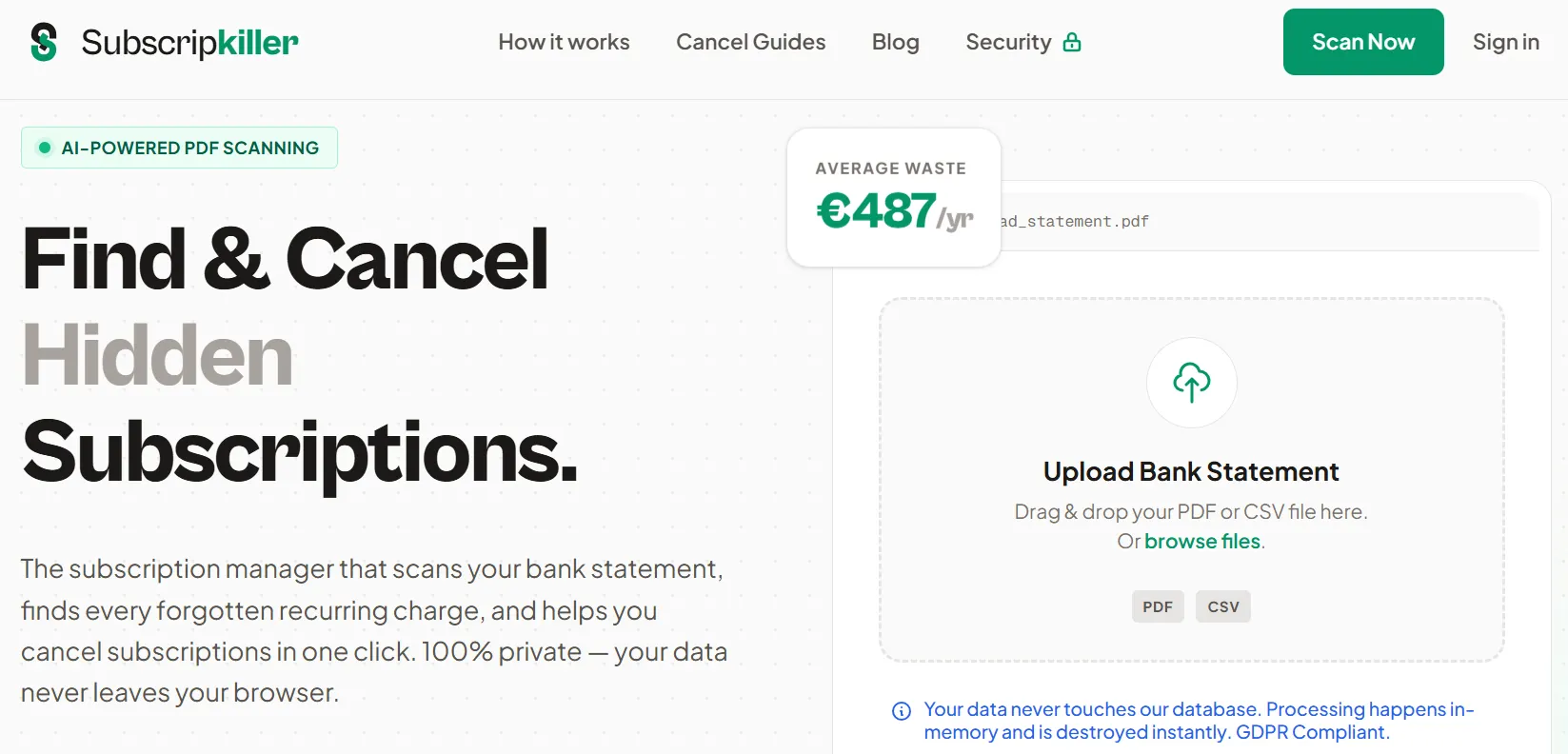
Most people accept that trade without thinking about it. SubscripKiller is interesting because it declines to ask. There's no bank login, no Plaid handshake, no ongoing connection. You export a statement from your bank, upload the PDF or CSV, and it matches the transactions against a database of more than 1,100 known subscription services. The company states processing happens in memory and the file is destroyed immediately.
That architectural decision is the entire reason this tool is worth writing about — and it also creates real limitations you should understand before relying on it.
⚡ The short version
- No bank connection. You upload a statement file; nothing stays linked afterwards.
- Matches against 1,100+ services and rates how hard each one is to cancel.
- Appears free, with no pricing published — and no clearly stated business model, which is worth noting.
- The catch: one-off snapshot, not monitoring. You have to remember to re-run it.
- Company information is thin for a tool that handles financial data. Details below.
The problem is bigger than most people think it is
The numbers on this are genuinely striking, and they're consistent across independent surveys.
Roughly 89% of consumers underestimate what they spend on subscriptions. Americans spend about $219 a month on average while estimating their own spend at around $86 — a gap of two and a half times. About 66% are off by more than $200, and some studies put 13% off by more than $400.
The average person carries somewhere between five and eight active subscriptions, with aggregated 2025 data putting it nearer 8.2. Around 42% are actively paying for at least one recurring charge they've completely forgotten about, and a 2025 CNET survey put the cost of those forgotten subscriptions at roughly $204 per person per year.
What makes this a structural problem rather than a discipline problem is worth understanding, because it explains why "just be more careful" doesn't work. Charges are small individually, they're spread across multiple cards, they renew on different dates, auto-pay means nothing ever asks for your attention, and merchant descriptors on statements frequently bear no resemblance to the product name. You are not failing to notice through carelessness. The billing system is genuinely designed so the total never appears in one place.
That's the case for using something — a tool, a spreadsheet, an afternoon — to force the total into view once.
How SubscripKiller actually works
The flow is deliberately simple, and simplicity is the point.
Step one: export a statement. Log into your bank and download the last three to twelve months as PDF or CSV. Every major bank supports this; it's usually under "statements" or "export transactions." Twelve months is the right window, because annual subscriptions are precisely the ones people forget — a yearly renewal that fires once won't appear in a 90-day window, and those are often the largest single charges you're carrying.
Step two: upload it. The tool parses the transactions and matches them against its database of 1,100+ known subscription services. This matching is the actual product. Recognising that "DD *DIGITALOCEAN" or an obscure payment-processor descriptor corresponds to a real service you signed up for is exactly the work that makes manual review tedious.
Step three: review what it found, along with a cancellation difficulty rating for each service and guidance on how to actually cancel it.
That difficulty rating is a genuinely thoughtful feature and I want to give credit for it. Cancellation friction varies enormously — some services are two clicks in account settings, others require a phone call during business hours, a retention conversation, or an email to an address that takes days to answer. Knowing in advance which of your cancellations is a five-minute job and which needs a scheduled half hour is the difference between finishing the task and abandoning it halfway. Most tools in this space skip that entirely.
One thing worth doing regardless of which tool you use: run the tool and a manual pass on the same statement, at least once. Not because the tool is untrustworthy, but because the two methods fail differently. A matching database catches the merchant descriptors you'd never recognise — the payment-processor strings that look like nothing. Your own eyes catch the small local vendors and one-off services that aren't in anyone's database.
The overlap between what each method finds is usually smaller than people expect, and the gap is the useful part. If the tool surfaces things you'd missed, that tells you your manual review has a blind spot worth knowing about. If you spot things it missed, that calibrates how much confidence to place in the output next time.
The privacy architecture — and how to check it yourself
SubscripKiller states that your data never reaches its database, that processing happens in memory and is destroyed immediately, and that it complies with GDPR.
Those are claims. Here's the useful part: with a browser-based tool, you can verify the most important one yourself in about thirty seconds, and this technique works for any web tool you're asked to trust with a file.
I'd encourage doing this rather than taking any vendor's word for it, including this one. It costs you half a minute and it converts a marketing claim into something you've actually observed. It's also a habit worth having generally — plenty of "processed locally in your browser" tools quietly aren't.
One caveat: local processing protects the file in transit and at rest, but it doesn't mean nothing is transmitted. Analytics, error reporting, and telemetry may still fire. What you're checking for is specifically whether your statement data is being uploaded, which is the thing that matters here.
Why the no-bank-connection approach matters
To be fair to the alternatives: connecting a bank account through Plaid, which is what Rocket Money and most competitors use, is not reckless. Plaid connections are read-only by default and cannot move money out of your account. It uses AES-256 encryption and holds ISO 27001 and ISO 27701 certifications. This is real infrastructure with real security engineering behind it.
But the risk isn't that someone drains your account. The risks are subtler and worth naming:
Data scope. A subscription finder needs to identify recurring charges. A live bank connection gives it every transaction — where you eat, what you buy, which doctor you see, how much you earn, what you're behind on. That's a much larger surface than the job requires.
Duration. The connection persists after you've finished the task. Most people never revoke it. If you've ever linked a bank account to a budgeting app you stopped using, that connection is quite possibly still live right now.
Precedent. In 2022 Plaid settled a class action for $58 million over historical practices involving collecting more data than users understood they were sharing and retaining it longer than expected. Plaid's current practices are substantially more transparent, and the settlement is history rather than a live allegation. But it's a reasonable data point when you're deciding how much of your financial life to expose to solve a $204 problem.
If you do use bank-connected tools, one concrete action: visit the Plaid Portal and review which apps currently have access to your accounts. You can revoke any of them there. Most people who check find at least one connection they'd forgotten authorising.
What SubscripKiller doesn't do
The architecture that gives it privacy advantages costs it capability, and you should be clear about the trade rather than discovering it later.
There's no ongoing monitoring. This is a snapshot, not a watchdog. A bank-connected tool notices the free trial that converted last Tuesday and tells you. SubscripKiller only knows what was in the file you uploaded, and only when you upload one. Sign up for something next month and nothing will alert you.
There's no cancellation on your behalf. It tells you what you're paying for and how hard each one is to escape. The cancelling is yours to do. Rocket Money's Premium tier includes a concierge service where staff handle cancellations for you — for genuinely difficult ones, that's worth real money to some people.
It only sees the account you uploaded. If subscriptions are spread across two current accounts, three credit cards, PayPal, and an App Store balance, you need to export and check each one. The App Store and Google Play in particular hide a lot — they appear on your statement as a single lumped charge from Apple or Google, so no statement-based tool can break them out. Check those directly in your device settings; it's a common blind spot.
Matching is imperfect by nature. A database of 1,100 services is substantial, but subscriptions from smaller vendors, regional services, and anything billing through an unfamiliar processor may not match. Treat the output as a strong first pass, not a complete inventory.
The company question
I'd be doing you a disservice if I skipped this. SubscripKiller's footer credits "Toolsfine," and beyond that there's very little company information — no registration details, no address, no named team. Privacy policy and terms of service are published and GDPR compliance is claimed.
The tool also appears to be free with no disclosed business model. That isn't automatically suspicious — plenty of tools are built as portfolio pieces, lead magnets, or side projects, and a browser-based tool that stores nothing is genuinely cheap to run. But "free, financial data, minimal company information" is a combination that deserves a moment's thought rather than a reflex.
My practical read: because the architecture means you're not establishing a persistent connection or handing over credentials, your exposure is bounded in a way it wouldn't be with a bank-linked service. The worst realistic case is one statement file being handled by someone you can't identify — which is precisely why the Network-tab check above is worth doing before you upload anything. Verify the claim, and the anonymity of the company matters much less.
If that still doesn't sit right with you, the manual method below gets you the same result with nobody involved at all.
How it compares
| SubscripKiller | Rocket Money | Manual review | |
|---|---|---|---|
| Bank connection | None — file upload | Required (Plaid) | None |
| Ongoing monitoring | No | Yes | No |
| Cancels for you | No — guidance only | Premium concierge | No |
| Cost | Free | Free tier; Premium $7–14/mo | Free |
| Time to first result | ~5 minutes | ~10 minutes | ~30 minutes |
| Data exposure | One statement file | All transactions, ongoing | None |
Worth knowing about Rocket Money specifically: its bill negotiation service charges 35–60% of your first year's savings when successful. That's a large cut, though you only pay on results. Its Premium pricing is unusual too — a "pay what you think is fair" slider, typically $7–14/month.
The manual method, if you'd rather trust nobody
You genuinely don't need any tool for this. Here's the whole process, and it's worth doing once even if you also use software.
1. Export twelve months of transactions from every account and card as CSV. Twelve, not three — annual renewals are the expensive ones people miss.
2. Open it in a spreadsheet and sort by merchant name. This single step does most of the work. Recurring charges group together visually and become obvious in a way they never are chronologically.
3. Look for identical amounts repeating on a similar date each month. That pattern is a subscription, whatever the merchant descriptor says.
4. Search for the usual suspects by keyword: Apple, Google, Amazon, PayPal, Adobe, Microsoft, plus common processors like Stripe, Paddle, Chargebee, and Recurly. Payment processors are where unrecognisable descriptors hide.
5. Check the app stores separately. On iPhone: Settings → your name → Subscriptions. On Android: Play Store → profile → Payments and subscriptions. These are invisible on bank statements and are one of the most common places forgotten subscriptions live.
6. Check PayPal separately too, under automatic payments — another blind spot that statement review alone won't surface.
7. Write the total down. Annual, not monthly. $47/month is easy to wave away; $564 a year is a number that prompts action.
Half an hour, no third party, no uploads. The tool's real value is compressing this to five minutes and catching descriptors you wouldn't recognise — genuinely useful, but not magic.
What to do once you've found them
Finding is the easy half. A few things that make the cancelling go better:
Cancel immediately, not later. The list decays in usefulness the moment you close the tab. Do the easy ones in the same sitting.
Expect retention friction on the hard ones. Some services deliberately make cancellation slow — phone-only cancellation, multi-step flows, retention offers designed to make you hesitate. This is exactly what SubscripKiller's difficulty ratings are flagging. Budget time for those rather than being ambushed.
Take the retention discount if you actually use the service. Genuinely: if a service you value offers 50% off to stay, that's a real saving. Only refuse it if you were cancelling because you don't use the thing.
Screenshot your cancellation confirmation. Every time. Disputes over "we have no record of your cancellation" are common, and a timestamped confirmation ends the argument instantly.
Consider virtual cards for future trials. Many banks and services issue single-merchant virtual card numbers you can cancel independently. Using one for a free trial means the trial simply cannot convert without your say-so — it prevents the problem rather than cleaning it up afterwards.
Set one calendar reminder. Annually, or twice a year. Whatever tool you use, subscriptions accumulate again. A recurring reminder to redo this is more valuable than any product.
Who should use what
Use SubscripKiller if you want a one-time audit without establishing a permanent connection, you're privacy-conscious, or you've been putting this off because linking your bank to another app feels like a bad idea. It's also a sensible fit for people outside the US, where bank-connected tools often have patchy institution coverage.
Use Rocket Money or similar if you want continuous monitoring, you've been burned by trials converting silently, or you'd genuinely pay to have someone else make the awkward cancellation calls. The ongoing visibility is a real advantage and I don't want to undersell it.
Do it manually if you're not comfortable uploading financial data to a company you can't identify, or you only have one or two accounts to check. Thirty minutes, complete control.
Do all three, honestly: a manual pass now to establish the baseline, a tool to catch what you missed, and a calendar reminder for six months' time. The combination costs nothing and reliably finds more than any single approach.
Frequently Asked Questions
Does SubscripKiller connect to my bank account?
No, and that's its main distinguishing feature. You export a statement as PDF or CSV and upload the file. There's no bank login, no Plaid connection, and nothing remains linked once you're done.
Is it safe to upload a bank statement?
SubscripKiller states files are processed in memory and destroyed immediately, and that nothing reaches its database. You can verify this yourself: open your browser's developer tools, watch the Network tab while uploading, and check whether a large outbound request carries your file. That takes thirty seconds and beats trusting any claim.
How much does SubscripKiller cost?
It appears to be free, with no pricing published and no clearly stated business model. That's not inherently a problem for a browser-based tool that stores nothing, but it's worth knowing before you decide how much to rely on it.
Will it find every subscription I have?
No. It matches against a database of 1,100+ services, so smaller or regional vendors may be missed, and it only sees the account you uploaded. App Store and Play Store subscriptions appear as a single lumped charge from Apple or Google and can't be broken out from a statement — check those directly in your device settings.
Does it cancel subscriptions for me?
No. It identifies them and rates how difficult each is to cancel, with guidance. The cancelling is yours to do. Rocket Money's Premium tier includes a concierge service that handles cancellations, if that's worth paying for.
How is this different from Rocket Money?
Rocket Money connects to your bank and monitors continuously, catching new subscriptions as they appear, and its paid tier will cancel things for you. SubscripKiller gives you a one-time snapshot with no connection and no ongoing data exposure. Monitoring versus privacy is the trade.
How far back should my statement go?
Twelve months. Annual subscriptions renew once a year and are exactly the ones people forget — they're often the largest single charges you're carrying, and a three-month window will miss them entirely.
Is it worth using if I already track my spending?
Probably, once. Around 89% of people underestimate their subscription spending, and that includes plenty who consider themselves organised. The gap usually comes from unrecognisable merchant descriptors rather than carelessness, which is precisely what a matching database is good at resolving.
Verdict
🏆 Our Assessment: SubscripKiller
A well-judged tool that solves the audit problem without demanding the usual price of admission. No bank connection means bounded, one-off data exposure rather than a permanent feed, and the cancellation difficulty ratings are a genuinely thoughtful touch. It's a snapshot rather than a monitor, the company behind it is opaque, and it won't catch app-store subscriptions — know all three going in.
What I'd actually recommend: use it for the initial audit, precisely because the one-time exposure is limited and you can verify the local-processing claim yourself before uploading anything. Then act on the list the same day, while you're still annoyed enough about the total to push through the awkward cancellation calls.
After that, the honest answer is that no tool solves this permanently. Subscriptions accumulate because the billing system is built so they do. The single most valuable thing you can do isn't choosing the right app — it's putting a recurring calendar reminder six months out to check again. That habit will save you more, over years, than any product in this category.
Found something a tool missed, or spotted a service with a genuinely absurd cancellation process? Tell me about it — the difficult ones are worth documenting.